Copyright CharlesPrime 2022, All Rights Reserved.

What Are UTM Parameters?
UTM parameters are five tags that you can add to the end of specific URLs to track marketing or promotional efforts.
When a URL with a UTM is visited, it allows analytics software like Google Analytics to track information, such as how visitors are finding a website and if they're interacting with any content associated with a campaign.
This is a useful and encouraged practice to understand which marketing channel, campaigns and keywords are the most relevant for your business.
Example: url without UTM parameters: http://charlesprime.co/
Example: url with UTM parameters: http://charlesprime.co/?utm_source=google&utm_medium=organic&utm_campaign=UTM-blog-post
In the example above, the UTM parameters are the following:
utm_source=google: indicates that the user found the website through the google platform
utm_medium=organic: indicates that the medium was “organic” as opposed to “paid”
utm_campaign=UTM-blog-post: indicates that the “UTM-blog-post” is a campaign determined as part of the blogging strategy.
Although there are only 3 UTMs in the url above, there are up to 5 different fields for UTMs available in the URL.
Since software platforms like Google Analytics cannot change past historical data, it is encouraged as a best practice to always label as many public URLs with UTMs to enhance data reporting.
5 UTM parameters recognized in Google Analytics:
Campaign Source (utm_source): google, instagram, twitter, facebook, linkedin, yahoo, bing
Parameter used to identify the source of your traffic. The source can be a website name, search engine, newsletter name, or social network.
Campaign Medium (utm_medium): cpc, social, cpc, email, referral, paid social, banner
Parameter used to classify the medium used to access the link. The source can be email, social, cost per click (cpc), or another method.
Campaign Name (utm_campaign): summer-sale, UTM-blog-post, QR-code
Parameter used to represent a campaign or promotion, which can be a product name, type of sale, contest name, date and more.
Campaign Term (utm_term): learn-investing, healthcare-near-me, business-advertising-030423
Use this parameter for paid search campaigns to track relevant ad-based keywords. This helps you identify which keyword(s) resulted in a site visit.
Campaign Content (utm_content): cta-bottom, footer, hero-button
Use this parameter to determine what someone clicked on to get to your site when there are multiple links pointing to the same URL, such as in an email or on a landing page with multiple CTAs. This parameter is also used to distinguish between ads pointing to the same URL. It is commonly used for A/B testing and content-targeted ads.
GA4 Update:
Previously, in Universal Analytics “Default Traffic Channels” could be created and customized. Users could input various “Channel Definitions” to determine the UTMs that would constitute the channels they were reporting on. For example, a user could define a new channel “Traffic A” if the UTM followed specific conditions of their choosing.
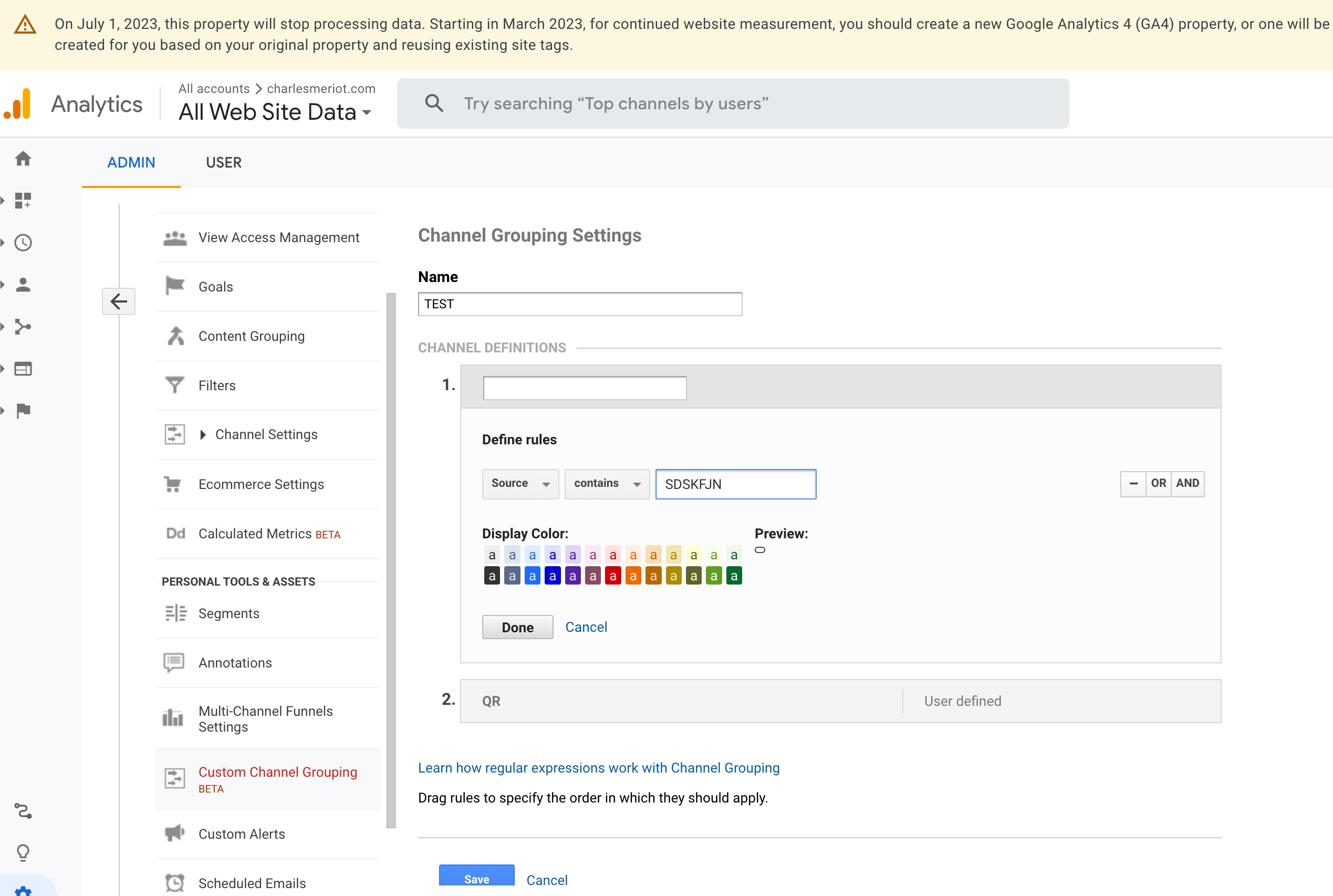
Since the GA4 update, Google has removed the customizable UTM features and enhanced the platform's ability to read UTM parameters links. As a result, the definitions for what constitutes specific UTM channels have become more strict.
Recognized Channels UTMS in GA4:
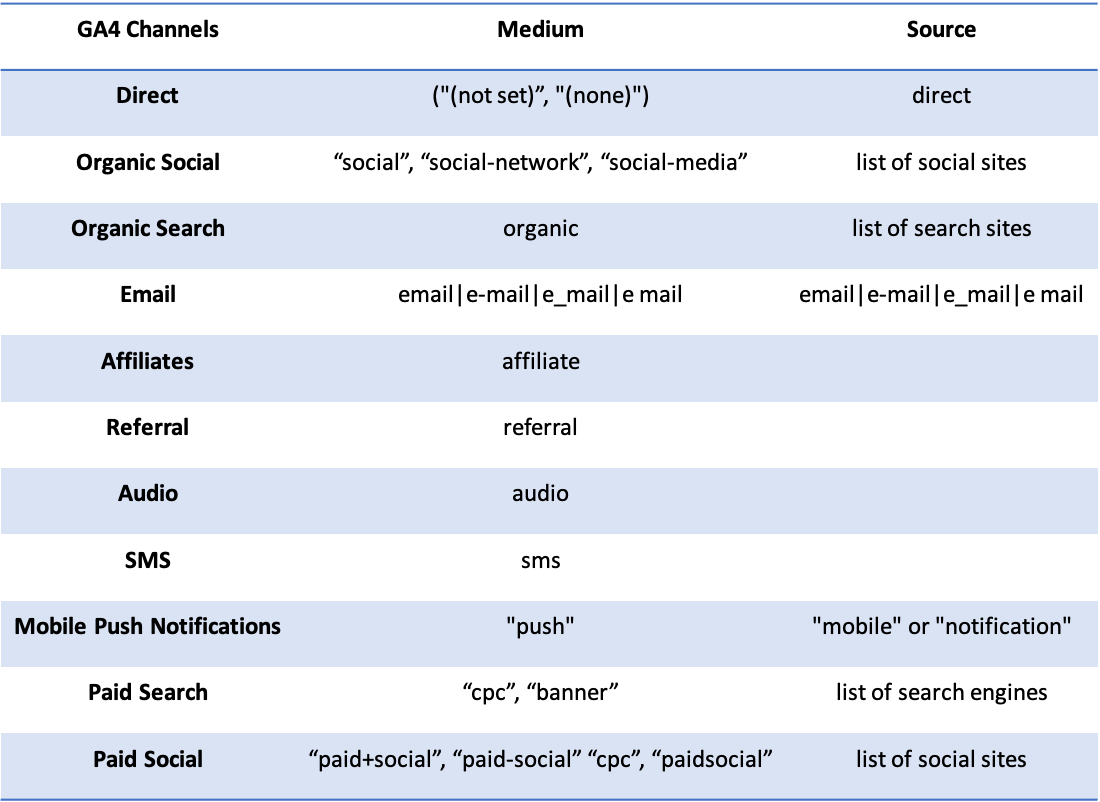
If UTMs medium or source do not match the list - they will likely fall under “Unassigned” or “Other” in GA4.
by Charles Meriot
March 8, 2023
Work With Us
Thank you! Your submission has been received!
Oops! Something went wrong while submitting the form.